
Connect Salesforce and Facebook Ads to power AI-driven automation
Seamlessly sync Facebook Ads data, automate workflows, and create a unified view of your sales and marketing operations.
Seamlessly sync Facebook Ads data, automate workflows, and create a unified view of your sales and marketing operations.
Create workflows that connect Facebook Ads to Salesforce and automate repetitive tasks. A trigger is an event that starts a workflow, and an action is an event a MultiSync Made Easy performs.
See how you can get setup in minutes.
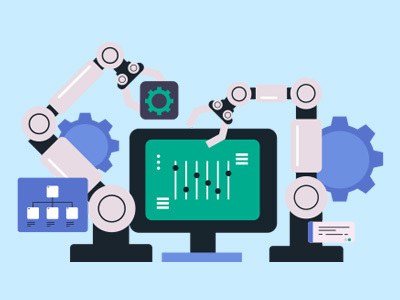
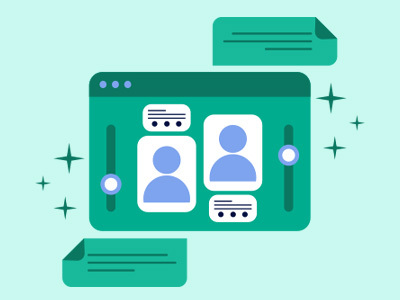
Bring tasks, updates, and customer data into one unified flow automatically in real time. Leverage Facebook Ads effectively, close faster, and keep every team aligned without manual effort.
Connect all Facebook Ads data without friction. MultiSync Made Easy delivers instant, real-time syncing across platforms so workflows stay aligned and updates appear the moment they happen. No delays, no manual updates, just seamless integration running in the background.
Get the App Now
Empower your teams with automation that removes repetitive tasks and accelerates decision-making. With Facebook Ads integrations built in MultiSync Made Easy, every update flows instantly across systems, helping your business adapt quickly, reduce bottlenecks, and stay consistently ahead.
Get the App Now
Your data stays protected at every step with robust authentication, encrypted transfers, and controlled access between Facebook Ads and Salesforce accounts. We ensure every Facebook Ads integration meets high security standards so your syncs stay smooth, safe, and fully compliant.
Get the App Now
Bring all your scattered Facebook Ads data into one clear, real-time picture. Unify updates, activities, and records across platforms so teams always see the full story, enabling faster decisions and more connected customer experiences.
Get the App Now
Let AI handle the heavy lifting, from smart field mapping to automated triggers and intelligent data routing. MultiSync Made Easy enhances every integration with AI-powered efficiency, giving your teams more time to focus on high-value work.
Get the App Now
More apps from the same category as Facebook Ads
Build custom workflows with Facebook Ads to migrate and manage data across hundreds of connected apps. Improve data accuracy, boost efficiency, and accelerate business processes.
Learn MoreNew to automation with MultiSync? You're not alone. Here are some answers to common questions about how MultiSync works with Salesforce and Facebook Ads.
To set up the initial connection between Facebook Lead Ads and Salesforce, begin by logging into both your Facebook and Salesforce accounts. Within our platform, authorize access to both apps. This process involves selecting your Facebook Ad account and confirming the permissions required by our system to pull lead data from Facebook. Similarly, provide permission for us to create or update records in Salesforce.
When integrating Facebook Lead Ads with Salesforce, common triggers include receiving a new lead on your Facebook ad. Our system detects this trigger and automatically initiates actions like creating or updating a lead record in Salesforce based on the information obtained from the ad.
Yes, you can filter leads using specific criteria before they are sent from Facebook Lead Ads to Salesforce. In our integration settings, define conditions such as location, interests, or responses to ensure only relevant leads are synced.
Once a lead is captured from Facebook Lead Ads, various actions can be triggered in Salesforce such as creating a new contact or case, updating existing records, or adding tasks for follow-up. You can customize these actions according to your business process requirements within our integration framework.
Data sync between Facebook Lead Ads and Salesforce generally occurs in real-time as soon as a new lead is generated on your ad. However, exact timings might vary slightly depending on server loads and configurations within our system.
Step ahead with our robust and intelligent app that instantly integrates multiple platforms — even the unknowns!